Epea

/ˈe.pe.a pte.ˈro.en.ta/

For writing books.From first note to final draft.

Epea is in a small private beta. Join the beta list and you'll be sent a download link when a place opens up.

You'll get occasional emails about the beta. Unsubscribe any time.

Early beta, not yet production-ready. macOS first; Windows and Linux to follow.

Read the manual ›
Epea with The Odyssey open: the binder on the left, Book I with its scene card on the page.

Your book, in your hands

One file. Your whole book.

Chapters, notes, history and deleted items all live in a single file. Copy it, back it up or send it to a friend, and nothing gets left behind. It is never locked away: you can always get your words out.

Learn more ›
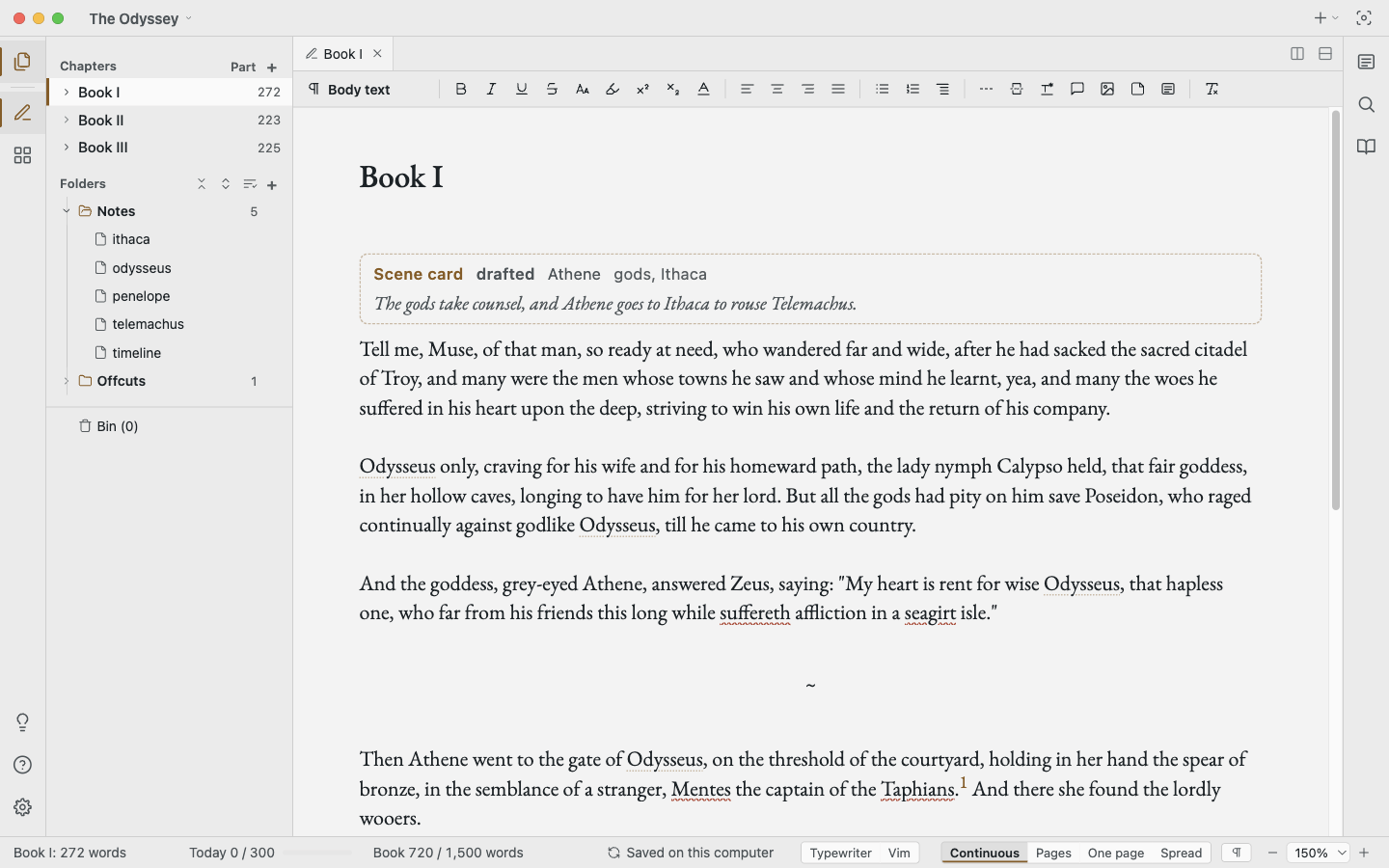
Epea with The Odyssey open: the binder on the left, Book I with its scene card on the page.

Page views

See the page as it will print.

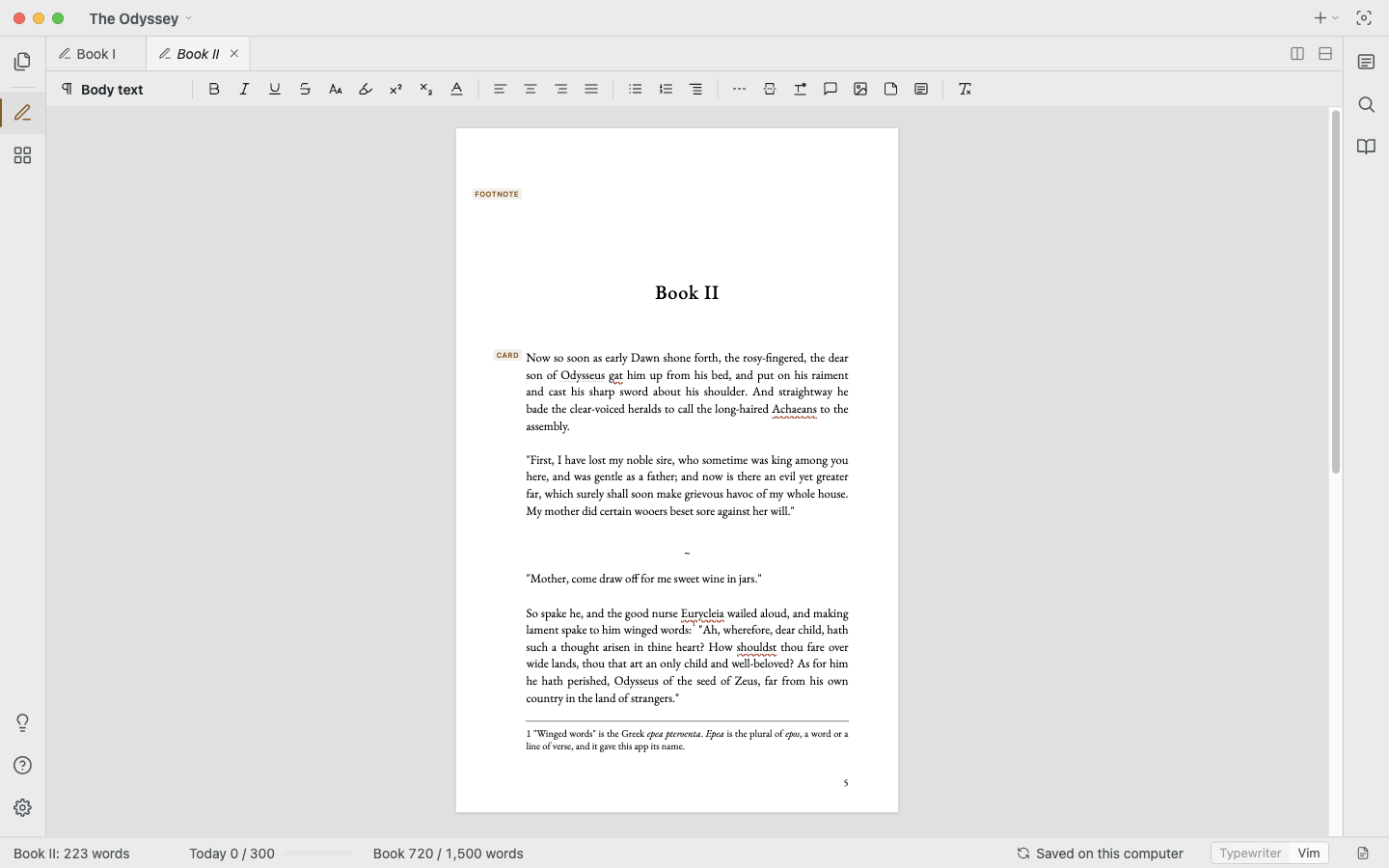
Write in a calm, scrolling column, then switch to real pages or a two-page spread. What you see is how your book will print.

Learn more ›
Book II shown as a printed page, with its footnote at the foot.

Scenes

Plan without leaving the draft.

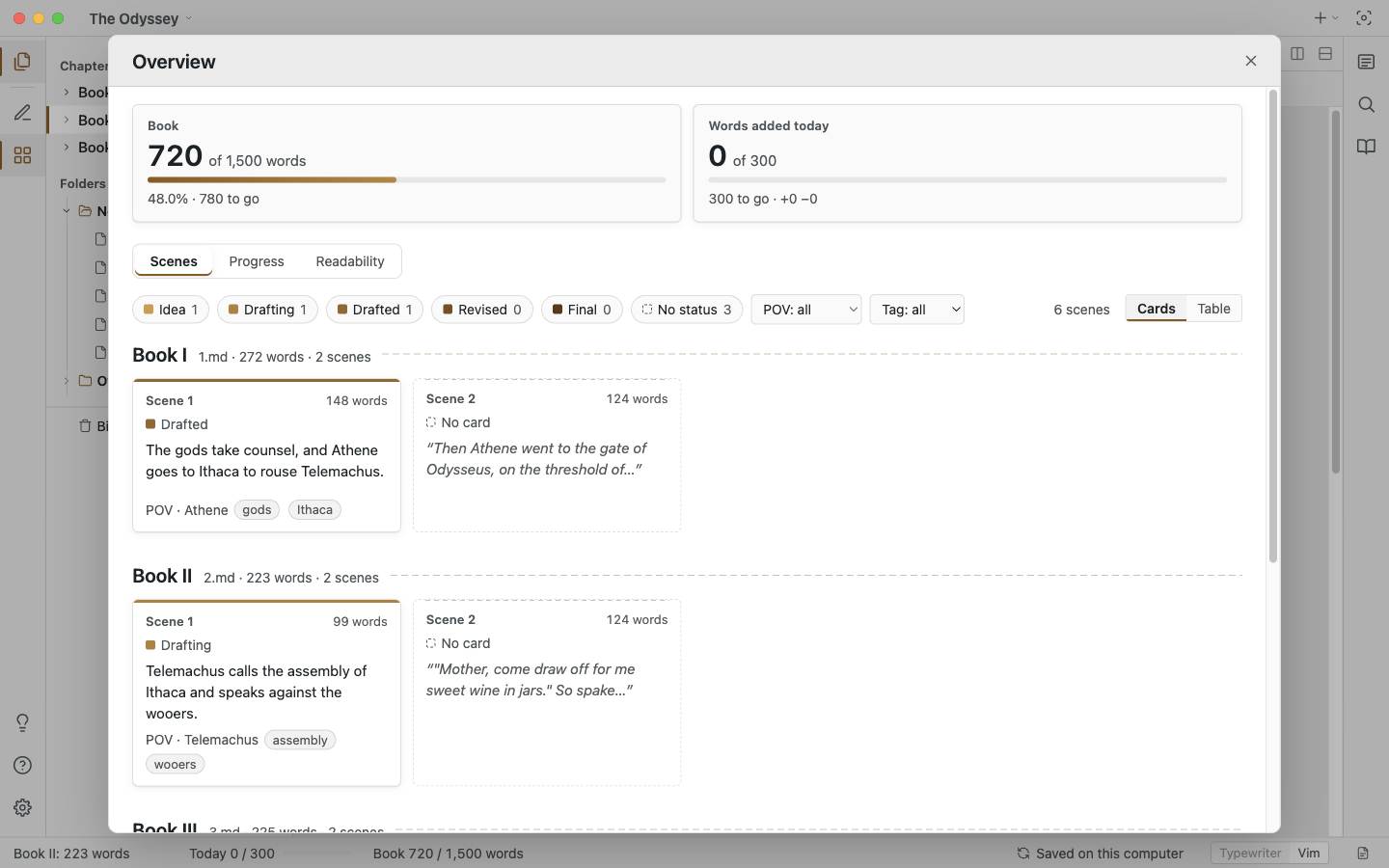
Give each scene a status, a point of view and a short summary. See the whole book on one board, with your daily word target and readability alongside.

Learn more ›
The Overview: scene cards for each chapter with status, point of view and tags.

Notes

Notes that recognise names.

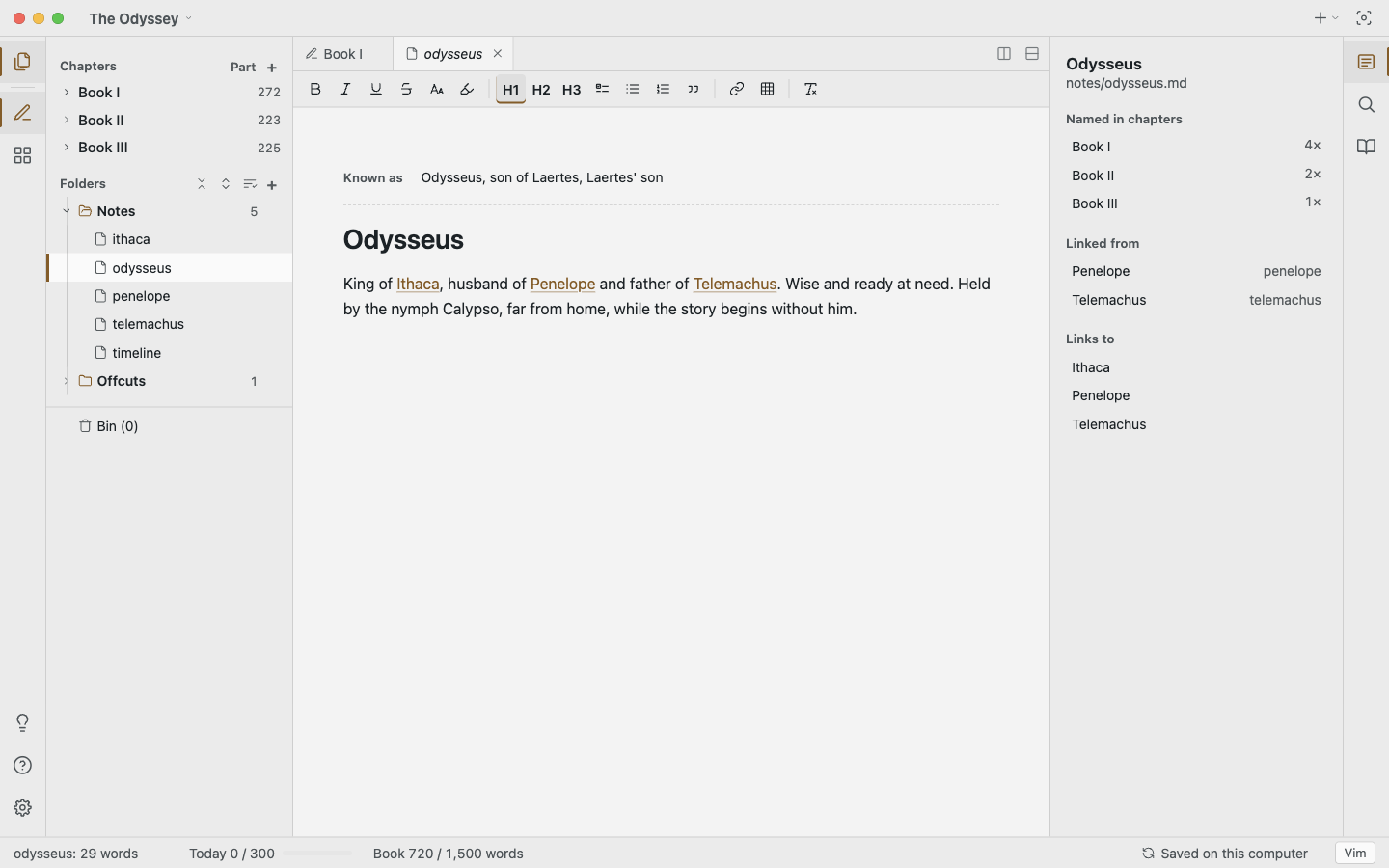
Keep a note for each character or place. Epea spots their names in your chapters, so you can hover to remind yourself who they are, and see every scene they appear in.

Learn more ›
A note for Odysseus beside the chapters that name him and the notes that link to him.

Safety

Never lose your work.

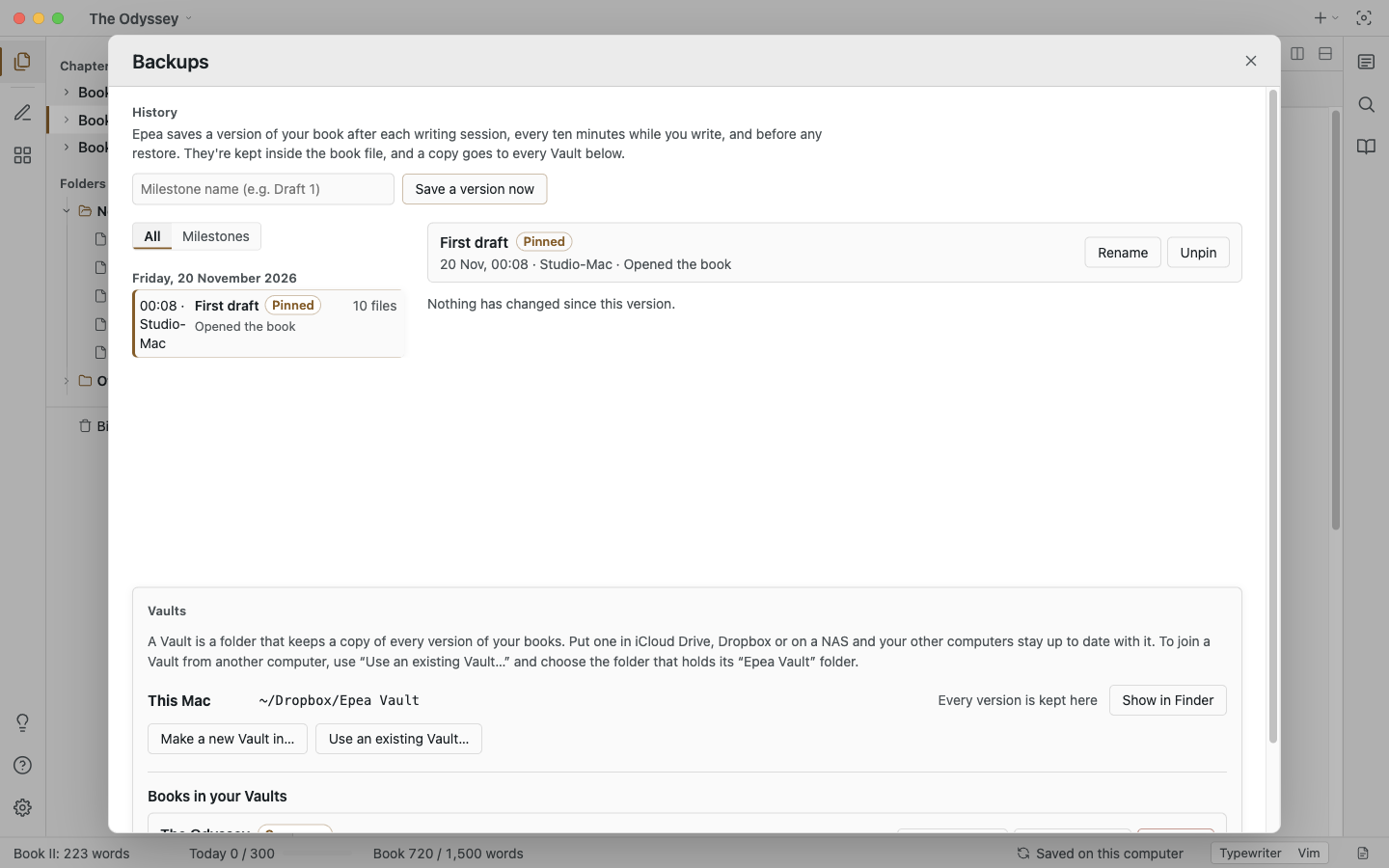
Epea keeps earlier drafts as you write. Compare any of them with now, and bring back a single chapter or the whole book. Anything you delete waits in the Bin.

Learn more ›
The Backups window comparing an earlier draft with now, with the added sentence highlighted.

Sync

Sync with the tools you already use.

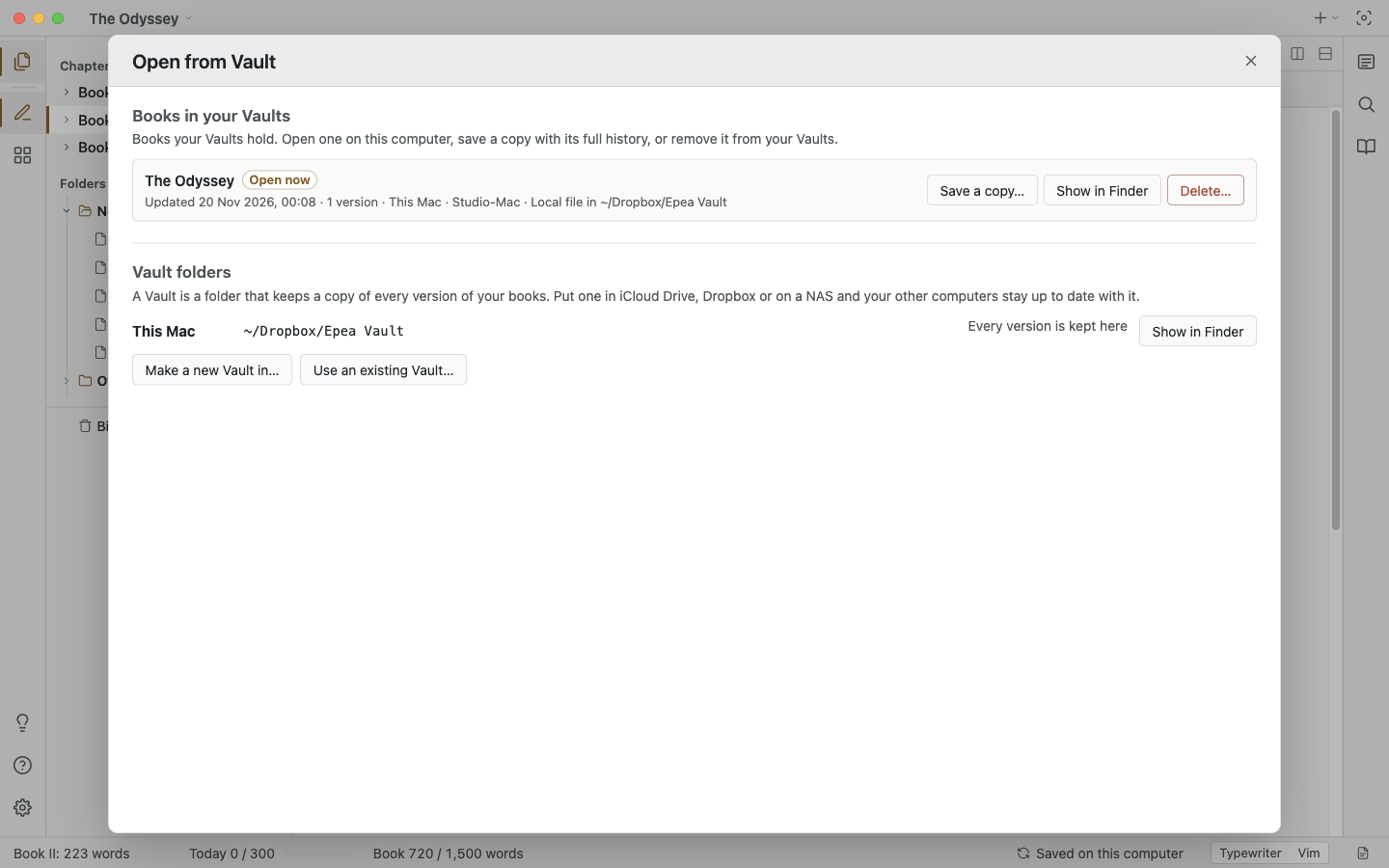
Keep your book in a folder that iCloud, Dropbox or your NAS already syncs, or carry it on a USB drive. No account to create, and your writing never passes through our servers.

Learn more ›
The Open from Vault window listing the book and the Vault folder.

And everything around the page.

Import

Word, Scrivener, yWriter, EPUB, Markdown and more.

Export

Manuscript DOCX, print-ready PDF, EPUB and others.

Look Up

An offline dictionary and thesaurus.

Vim keys

Optional, for those who love them.

Themes

Light and Dark, following your system.

Private

The app has no tracking. Only this website counts visits, without cookies, so the author can see interest.

Start with the tutorials.

Five short guided tours, each in a throwaway copy of a classic novel.

Get started